Schedule Wizard
Schedule Wizard is a Home Assistant custom integration that runs a scheduler for irrigation valves, switches, lights and covers. It starts entities on recurring schedules or from calendar events, closes them after the set duration, and survives Home Assistant restarts. It works on every install type (HAOS, Supervised, Container, Core).
Why
Built-in automations can open a valve on a schedule, but:
- There is no duration guard that closes the valve after N minutes.
- There is no single view of which zone runs next and which is running now.
- Calendar-driven watering needs a per-event length, and there is no clean template for it.
- Restarting Home Assistant in the middle of a run can leave a valve open.
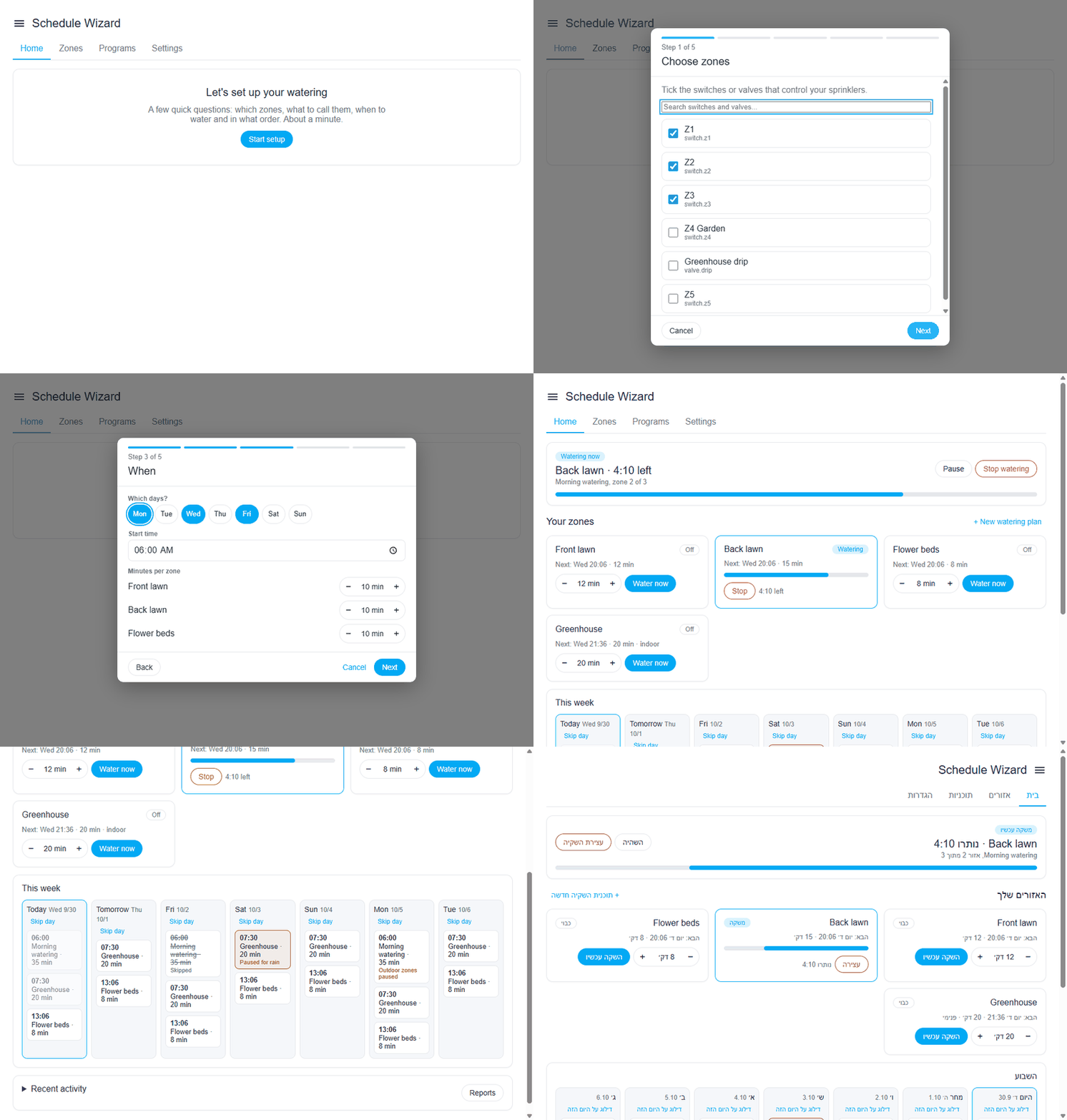
Schedule Wizard handles all of this in one integration with its own sidebar panel.
What you get
- Recurring schedules by weekday, or every 2 to 30 days, at a set time or relative to sunrise and sunset.
- Watering plans: several zones run one after another (or together) as one program.
- Calendar-driven runs, a webhook, services, and voice control through Assist.
- Skips and adjustments: rain delay, rain sensor, rain forecast, soil moisture, temperature scaling, schedule conditions, weather tips.
- Protection: master valve or pump, fail-to-open check, leak and burst detection from a flow meter, stop all.
- A sidebar panel, a Lovelace card, entities for every zone and plan, a calendar, events and notifications with buttons.
- The panel and card come in 17 languages, with right-to-left layout for Hebrew and Arabic.
Requirements
- Home Assistant 2024.7.0 or newer.
- A switch, valve, light, cover or input_boolean for each zone.
- HACS, if you want to install and update it from the HACS screen.
Next steps
- Install the integration.
- Open the panel and follow the setup wizard.
- Read Features to add rain skip, moisture skip and the rest.
Note
The source code, issues and releases are on GitHub. The project is open source (MIT).